Top 10 Tips for Staying Safe Online
The Internet is an amazing resource and it should be apparent to all that it is here to stay. There is so much information people can gather, so many tasks people can accomplish, and so many personal connections to be made that the Internet is truly a one of a kind and irreplaceable tool in today's world. But as with everything, there are ways you can get in trouble if you are not careful. Along with all of the good the Internet provides, it also provides a medium for scammer, identity thieves, and other predators. This certainly shouldn't scare you away from using the Internet, but while doing so, you should be aware of the risks. Listed below are the top ten things you can do to keep yourself safe.
Number 1 thing you should do to stay online, use an anti-virus software. There's a high risk of downloading something and getting a virus from it if you don't have protection.
Virus that get into your computer can cause all kinds of problems. They can make your computer slow or unusable, cause all sorts of pop-up advertisements to be displayed, or allow spammers to use your computer and your internet connection to send out their Viagra, porn, or phishing e-mails. But perhaps worst of all, a virus can operate completely under the radar sneakily recording and reporting back what you do on your computer including the websites you visit and everything you type in including passwords and credit card numbers.
Make sure you have software in place to prevent you from becoming infected with a computer virus, to detect if an infection has taken place, and to help your remove viruses.
I think that this is one of the absolute best ways to stay safe online. By giving out your passwords, hackers could get into your accounts and steal your money, pretend to be you, etc. All of this could be avoided by just not giving out your passwords.
Whenever I was younger, I played a game called Animal Jam, and gave my password away because I wanted to be rarer. (That game is mostly about rares) And I bet you know how that went. All of my items were stolen/taken from me. It was not smart at all for me to do what I did. You never know who you can trust. Even if they seem nice, they may just be tricking you, so be careful. And if I were you, I'd only give out that information to your parents and/or relatives.
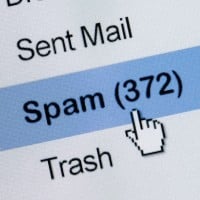
The most effective con artists are not the ones that sneak in the back door; they are the ones you invite in the front. When you follow links in e-mail messages, you are opening yourself up to the possibility having your personal information stolen or basically handing over the keys to your computer allowing a hacker access to anything it contains.
Phishing attacks are scary in how convincing they can be. Even the most web savvy individual can be duped by a phishing message if the context is right (appears to come from a website they use, information appears to be accurate and relevant). And once you click through the link provided in the email and fill out a form, you have been had. So to keep yourself safe, even if an email message from you bank, from Facebook, or from any other site appears to be real, copy the link into your address bar, browse to the site directly, or give them a call. Just don't click that link.
At first I thought those were real but obviously weren't. Back when I played roblox someone asked me if I wanted free robux and I said yes. Then he asked me for my password, and I gave it to him and took over my account for the day, and deleted some cool things off my inventory. I learned my lesson there. And some of those people can get access to your credit card and spend it all on random stuff and you can't get it back! Years later, I was messaged on Instagram that I won a free PS5, and knew immediately it was fake. Don't trust every single thing you see online, especially free robux ads.
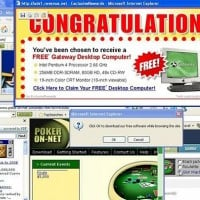
Be careful of pop-ups containing malicious links. One accidental click and your PC is rendered unusable (depends how severe the malware is). Unless you have a decent antivirus then it's likely it will quarantine it before the malware does any effect.
Pop-ups are just stupid lies made by people with no life at all. So I mean, Pop-Ups can make you do stuff like break your computer or even worse, YOUR CPU. Also pop-ups can also be found in pornographic websites.
And make sure to install a pop-up blocker as well! Make sure to scan anything you download on Virustotal or another virus checking website first though! Don't download things blindly...
Win a free iPhone 6 If you submit these questions now!
Derp: *goes inside*
Lol you aren't getting an iPhone 6 you're just getting a virus so we know your address, password and bank account! Now time to share all that information online.
Derp: *Gets massacred by psychopaths with chainsaws*
My dad was a prime example and he got scammed and lost $100. We had to get him a new card.
Get 100,000 supermarket coupons by answering 1 question! Will you even trust this?
It may be tempting to leave your e-mail address or your phone number in a forum post or blog comment, but don't do it. Aside from the fact that this sort of information is systematically gathered and could result in a deluge of spam messages and unwanted phone calls, even the smallest amount of information may be used by people you want nothing to do with to track you down and determine exactly when you live.
Good information. Very well put and this is very important and I think people and kids should know this. It is very useful and I now know not to do this and it should teach people a lesson. Don't do this, this is very bad.
Even when they appear to come from someone you know, be very careful when opening e-mail attachments. A popular way for a virus to spread from an infected computer is to automatically e-mail itself to all of the e-mail contacts stored on that computer. This e-mail looks like it came from the person you know and may seem very convincing, but that's how a good virus works. Then, once you open that attachment, your computer gets infected too and starts sending e-mails to your contacts.
If you are expecting an attachment and know what it is (your friend already told you they were sending pictures of the new baby), then you are probably safe. If not, be very careful.
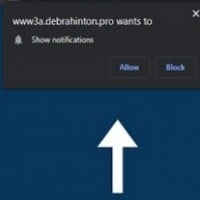
Lots of websites try to overload your computer with pop-ups, so it's best to block them.
Never use a proprietary vpn, use a open source ones like Mullvad or IVPN as the people and the software are transparent about what they do with your data.
The most effective tool to hide your identity from hackers, identity thieves, government agencies and other bad guys.
Use one that's based outside of the United States, supports OpenVPN (if you use Linux), and has a no logging policy. In other words, if a VPN isn't listed on privacytools.io, then don't use it.

Places such as Softonic can give you viruses. Always make sure you download from the official site and avoid downloading "cracked" games as they almost always come bundled with malware.
If you go to unfamiliar websites, please be careful to the websites you go. Maybe the downloads can carry malware.
Steam is an example of a safe site, at least as far as I know.
Firefox is the best browser and safest ever.
Your name is not a good idea. If your friend knows your name and he/she typed your name to the password of a gadget, this will cause the compromise of your privacy. Make a password of at least 8 or 16 characters depending on the website. Make sure that the password is strong so that everybody will not know.
If someone knows you and he's using your computer without your permition AND has a password, he would most certainly try with something about you. Your birth date, your ID, or your name.
Or use your username as your password, or use your username backwards, or abc123. Everyone guesses those
No anti-virus software is so good that it will protect against all viruses now and in the future. New viruses are being created everyday so anti-virus software must expand and adapt to protect against these new threats. This is accomplished through regular updates where your anti-virus software downloads new virus definitions. If you are not updating your anti-virus software, you are not as protected as you should be.
The annoying thing about old computers is that they stop producing anti-virus software for it, which means that you need to spend a few hundred pounds on a new computer.
Simple passwords are easier to remember but easier to guess as well. Don't make your password too complicated either, as that would be hard to remember (unless if you have photographic memory or smth). Also try to avoid using similar characters. Make it complicated enough to not be easily guessable.
Utilize and invented word or an entire phrase that has 16 as maximum.
You can also utilize character names from books, videogames or T.V. series, as long as it's not used so much.
Easy to remember, but hard to guess.

This is only (barely) true as long as Linux operating systems stay quietly obscure. It's hard to come across malware, but security loopholes are still found quite often by the same hackers that use and contribute to Linux projects. Some will report them, some will sell or use them for their own gain. They'll never be as vulnerable as a Windows system, since the code CAN (usually) be combed over by security experts, but as Linux gets popular there will also be a bigger market in Linux exploits.
Linux operating systems have many advantages for web browsing: The system is very light and requires little memory, leaving more room for speedy browsing. Linux does not get viruses. Open source software is frequently updated and any security issues pass under the eyes of multiple developers. All modern browsers (except Internet Explorer, which is so insecure you should not be using it anyway) work the same way on a Linux.
Telling people your credit card number is flat out just not smart. And a lot of kids like giving away their grade levels or age. I get that you want people to see how old you are, but it's still not okay. If anyone asks you for information about you, you simply ignore them. You don't know why they want the information about you.
HTTPS is an extension to the hypertext transfer protocol used throughout the internet. It's designed to secure the web by encrypting online communications and data, so nobody can steal your passwords/credit cards. There is an addon for Firefox/Chrome that forces sites to use HTTPS, called Smart HTTPS, which automatically connects to HTTPS when you visit a website, and if the site doesn't load, it reverts back to HTTP. A similar addon, HTTPS Everywhere, isn't recommended since it works according to rulesets. If a site known to support HTTPS isn't on the list, then it won't redirect to HTTPS, even though it supports it.
Honestly true. If you are gonna look up some video about bAd thInGs I wOn'T tYpE because ThIs Is A sChOoL cOmPuTeR and you watch it because you DO. Then you realize "Oh crap I'm a minor and that's a minor". Then that's when you are done for-
Logan Paul and the suicide forest is a prime example, he deleted it and replaced it with a terrible apology, but its YouTube and there ought to be several other copies.
This Journalist from inside edition got a lot of flash drives and stuff and found a lot of important stuff. She even found porn.
She also found child pornography, they contacted the authorities.
When you browse the web you're looking for information or media content. Use addons and browser settings to block all content that isn't the content you want. That includes ads (adblock), scripts (noscript), plugins like flash or Java (just disable them through the browser except when you need them), and calls to 3rd party sites (firewall programs, I think noscript does this too). This can get annoying, but only until you get a good flow going, and the safety is worth it!
Remember, nothing is ever completely taken off of the Internet even if you press delete. Everyone has a digital foot print inside their devices, which anyone, including law enforcement, can trace.
I think should avoid sending pics of yourself until you're a teen. And I don't think people should post pics of when they were babies or toddlers
This one is up to you, you can decide if you want to post pictures of yourself but bare in mind everyone can see it.
A new update sent out by Microsoft or Apple is like road map into your computer for hackers and viruses. They are openly exposes the chinks in their armor by creating these updates, so by being sure to download and install them at your first opportunity is a quick and easy way to stay safe.
Do not use Windows Vista or older versions of Windows if you are going to use the computer for web surfing. Those versions are very vulnerable to viruses.
Updates are really important most people who use smartphones or tablets aren't aware of what updates do as they're new to technology. So it's always important to install these updates.

There's a reason why people joke about Mark Zuckerberg stalking you all day and night. Facebook has trackers practically everywhere. Not just on Facebook. Mark Zuckerberg may not be personally stalking you but that doesn't mean that you're not being tracked.
All my friends are on Facebook and I'm not because firstly, I'm under the age, it's not safe or cool or anything (people think it is) and also, people can meet up with strangers and all that and I'm not sure but I think other people can see others' messages? Doesn't sound safe because they can find out information...

Some websites unfortunately have pop-ups that won't go away until you disable all adblockers. Other websites straight-up bypass ads right through adblockers.
Ads can be really annoying, or even unsafe, particularly if you are playing an online game. Sometimes they stop you right in the middle of a game, and you die once the advert is over. Sometimes the game doesn't even load, but it is just plain ads. Like I said earlier, they could even encourage you to buy unsafe products or visit unsafe websites.